


Comic Book Reader (cbz/cbr)
4.4152.00 Reviews
App Specs
- Version
- 1.0.114
- Updated On
- License
- Free
- Downloads
- 500,000+
- Developer
- Android Tools (ru)
- Categories
- Comics
- Platform
- Android, iOS
Screenshots
 Analysis by AppCompare
For a reader who already has comics saved as files, Comic Book Reader (cbz/cbr) is the kind of app I’d consider when I want to open a collection without moving everything into a subscription library. It is a free comics app from Android Tools (ru), and its focus is straightforward: reading digital comics. The audience rating is Everyone, while optional in-app purchases range from $0.99 to $99.99 per item, so I’d check the purchase screen carefully before buying anything. The app has a 4.4 average from around 7,800 ratings and has passed 500,000 installs, which suggests it has found a sizable audience among Android comic readers.
First Impressions
So, I recently got my hands on the Comic Book Reader (cbz/cbr) app, and let me tell you, comic book fans, this one’s a treat. If you’re anything like me and love diving into the colorful, action-packed world of comics, this app might just become your new best friend. Let’s dive into what makes this app tick, shall we?
That file-first approach is useful if you have comics from different sources and want one place to read them. It is also a different proposition from a comics storefront: you bring the files, rather than browse a built-in catalog and buy issues there. I’d choose it for reading a collection I already own, not for discovering new series or managing a paid reading subscription.
Browsing and Importing Your Collection
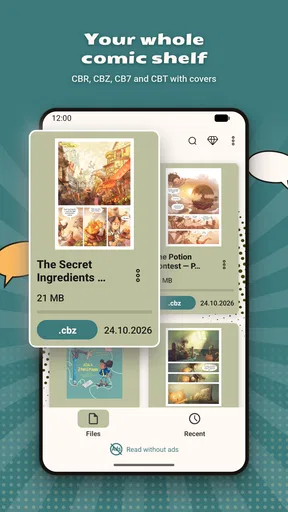
One of the first things I did was import my collection. The process was as smooth as butter. You can either upload files directly or sync with cloud storage options like Google Drive or Dropbox. I found the sync feature particularly handy because, let’s face it, who doesn’t have a stash of comics on their cloud these days?
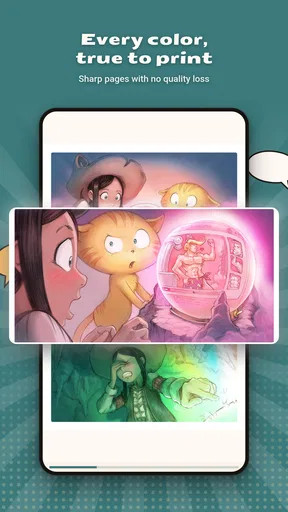
Once imported, the comics are neatly displayed with crisp cover images, making it easy to scroll through your collection. I appreciated how the app automatically organizes your comics by series and volume. It’s like having a little librarian who knows exactly where everything is.
A practical habit is to decide how you want to keep your files organized before importing a large backlog. If your filenames already identify a series and volume clearly, browsing is easier; inconsistent names can make any local library feel untidy, even when its covers look good. I’d start with a small batch, check how it appears in the collection, and then bring in the rest. That quick test can save time if you need to rename or regroup files first.
Cloud access is convenient when a comic is already stored remotely, but it is not the same thing as a guaranteed offline library. If I know I’ll be reading during a commute or somewhere with unreliable reception, I’d make sure the files are available on the device ahead of time rather than assume a cloud copy will be ready when I need it. For a reader who mostly keeps a collection on a computer and wants instant access to every file, a desktop reader may still be the smoother main option.
Worth Reading Before You Choose

Baby Panda World Brings Quick Play to Modern Phones, but Its Game Library Feels Busy

ESPN’s Live Game View Makes Following Close Games Easier

QuizzLand Review: A Good Fit for Short Trivia Breaks, Not Every Player

Basketball Stars: Multiplayer Is Fast, but Can It Recover When Matches Go Wrong?

WEBTOON Turns Phone Updates Into a Better Reading Routine

Link to Windows Runs on Shared Habits, Not Social Feeds
Reading Experience
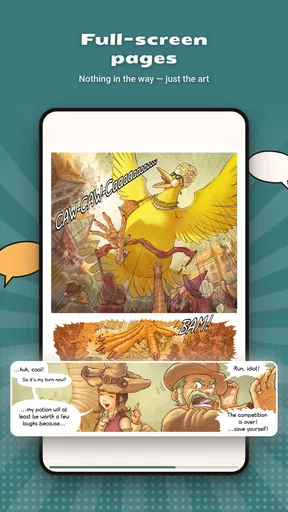
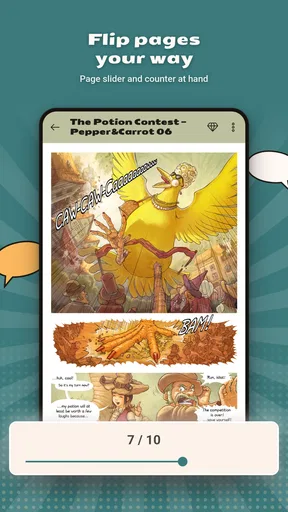
Now, onto the reading experience, which is where this app really shines. The page-turning animation is smooth, and you can choose between single-page and double-page views. Personally, I’m a fan of the double-page spread because it feels more like flipping through a physical comic book.
The zoom feature is super responsive, allowing you to zoom in on those epic splash pages or tiny dialogue without losing image quality. And if you’re reading those intricate graphic novels with lots of small text, this feature is a godsend. The app also remembers where you left off, so you can jump right back into the action without skipping a beat.
For everyday reading, I’d treat the view choice as something to adjust to the comic, not a setting to lock permanently. A wide two-page composition can work nicely in landscape, while a single page is usually easier to inspect on a phone held upright. When lettering looks small, zooming in is helpful, but repeatedly pinching every page can interrupt the flow. I’d switch to a single-page view first and reserve zoom for detailed panels or pages whose design genuinely needs a closer look.
This makes the app a sensible fit for short sessions: open a volume while waiting for an appointment, read a few pages, and return later without having to remember your place. For a long reading session, comfort matters more than animation. I’d try both orientations and page layouts early, then stick with the one that lets me follow panels naturally instead of constantly changing the view.
Customization Options
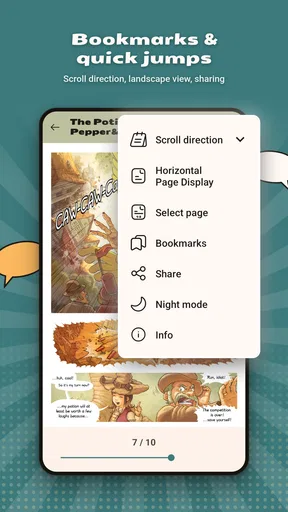
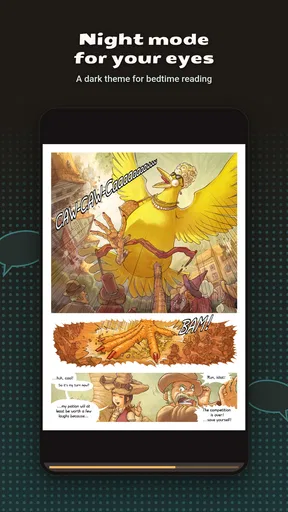
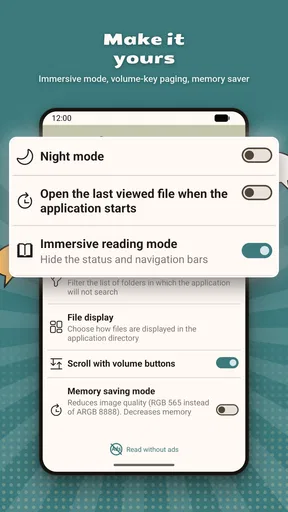
Customization is where the app gives you the power. You can tweak the brightness, contrast, and even the color saturation to suit your reading environment. Night mode is also available, saving your eyes during those late-night comic binges.
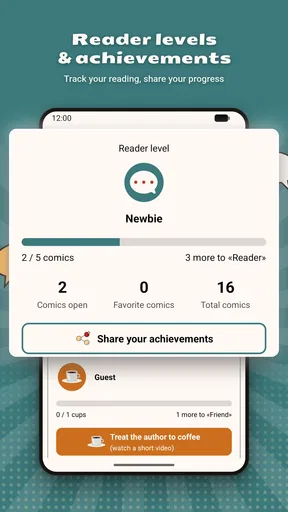
For those who like to keep track of their reading habits, the app offers a reading history feature. It’s a nice touch that shows you how many comics you’ve devoured and which ones are next on your list.
I’d make small adjustments rather than immediately pushing image controls to extremes. Raising contrast or saturation may help a particular scan, but it can also change the look of colors and artwork that already reads well. A useful routine is to set brightness for the room first, then alter contrast only when text or linework is hard to distinguish. Night mode can be a more comfortable choice after dark, though it won’t turn a dim screen into an ideal reading setup by itself.
Reading history is handy as a reminder of what I opened recently, but I wouldn’t treat it as a full collection-management system. If I’m working through several series, I’d keep my own simple next-up routine—finish a volume, note the next one, and use the app’s remembered position for the current book. That avoids relying on browsing alone to reconstruct a reading order.
Performance and Usability
Performance-wise, the app runs like a dream. I didn’t experience any crashes or slowdowns, even when flipping through high-resolution images. It’s lightweight too, so it doesn’t hog your device’s resources.
The usability is top-notch. Everything feels intuitive, from navigating the menu to adjusting settings. Even if you’re new to digital comics, you’ll get the hang of it in no time.
There are still trade-offs to keep in mind. A file reader depends on the quality and organization of the files you bring to it, so it cannot fix a badly scanned page or turn a messy folder into a carefully curated publisher catalog. People who want recommendations, synchronized purchases, or a ready-made comics library may be happier with a storefront or subscription service. Those alternatives are less convenient for reading a personal collection of assorted files, which is where this app’s local-reader approach makes more sense.
The version available is 1.0.98, and it requires Android 6.0 or later. That makes the minimum system requirement worth checking before trying it on an older device. I’d also keep the app and the comic files’ locations in mind when changing phones: a reader can remember its place on the device you use, but transferring a collection and its reading progress is a separate practical task. I’d test one file and one cloud-stored comic before relying on a larger migration.
Who It Suits—and Where I’d Look Elsewhere
I’d recommend this app most to Android readers who already have CBZ or CBR comics and want a focused way to open, browse, and continue them. It can also suit someone who reads in short bursts and appreciates a remembered page, cover browsing, and adjustable viewing. The app is free to start, but the presence of optional purchases means I’d review any offer before confirming it, especially if I’m only looking for a basic reader.
I’d skip it if my main goal were buying comics, discovering new titles inside the app, or maintaining a library across several kinds of devices. In those cases, a dedicated comics service or a reader designed for the other device may fit better. The choice comes down to the source of your books: this app is most useful when you control the files and want a reader, rather than when you expect the reader to supply the comics.
Final Thoughts
To wrap it up, the Comic Book Reader (cbz/cbr) app is a stellar choice for comic enthusiasts. It’s user-friendly, feature-rich, and offers an immersive reading experience that rivals physical comics. Whether you’re a Marvel maniac, a DC devotee, or an indie comic aficionado, this app has got you covered.
So, if you’re in the market for a new comic book reader, give this one a whirl. Trust me, your inner comic book nerd will thank you.
My best advice is to begin with a small, well-named set of files, choose a page layout that suits your screen, and adjust image settings only when a specific comic needs it. That repeatable approach makes browsing and picking up where you left off feel effortless without turning every reading session into library maintenance. If that matches how you already collect comics, this is an appealing option; if you want the books, recommendations, and cross-device library included, I’d choose a different kind of comics app.
Pros
- Supports multiple file formats like CBZ and CBR.
- User-friendly interface for easy navigation.
- Customizable reading settings for comfort.
- Offline reading mode available.
- Fast loading times for large files.
Cons
- Limited cloud storage integration options.
- Occasional ads in the free version.
- No built-in note-taking feature.
- Some features require in-app purchases.
- Initial setup can be confusing for newbies.
FAQs for Comic Book Reader (cbz/cbr)
What file formats does the Comic Book Reader support?
The Comic Book Reader app supports a wide range of formats, including CBZ and CBR, which are the most common comic book file types. Additionally, it may support PDF, EPUB, and image formats like JPEG and PNG, allowing you to read comics from various sources without conversion.
Is the Comic Book Reader app available on both Android and iOS?
Yes, the Comic Book Reader is available for both Android and iOS platforms. You can download it from the Google Play Store for Android devices or the Apple App Store for iOS devices, ensuring compatibility and access across different devices.
Does the Comic Book Reader app offer cloud storage integration?
Many Comic Book Reader apps offer cloud storage integration with services like Google Drive, Dropbox, and OneDrive. This feature allows you to sync your comic collection across multiple devices and access your comics from anywhere without taking up space on your device.
Can I customize the reading experience in the Comic Book Reader app?
Yes, the Comic Book Reader app typically offers several customization options to enhance your reading experience. You can adjust settings like brightness, reading direction (left-to-right or right-to-left), zoom, and page transitions. These options help tailor the app to your personal preferences.
Does the Comic Book Reader app support offline reading?
Absolutely, the Comic Book Reader app allows you to download and read your comics offline. Once you have downloaded your comic files onto your device, you can enjoy them without the need for an internet connection, making it convenient for reading on the go.


